

New World Houses: a multilingual property platform and a data rescue
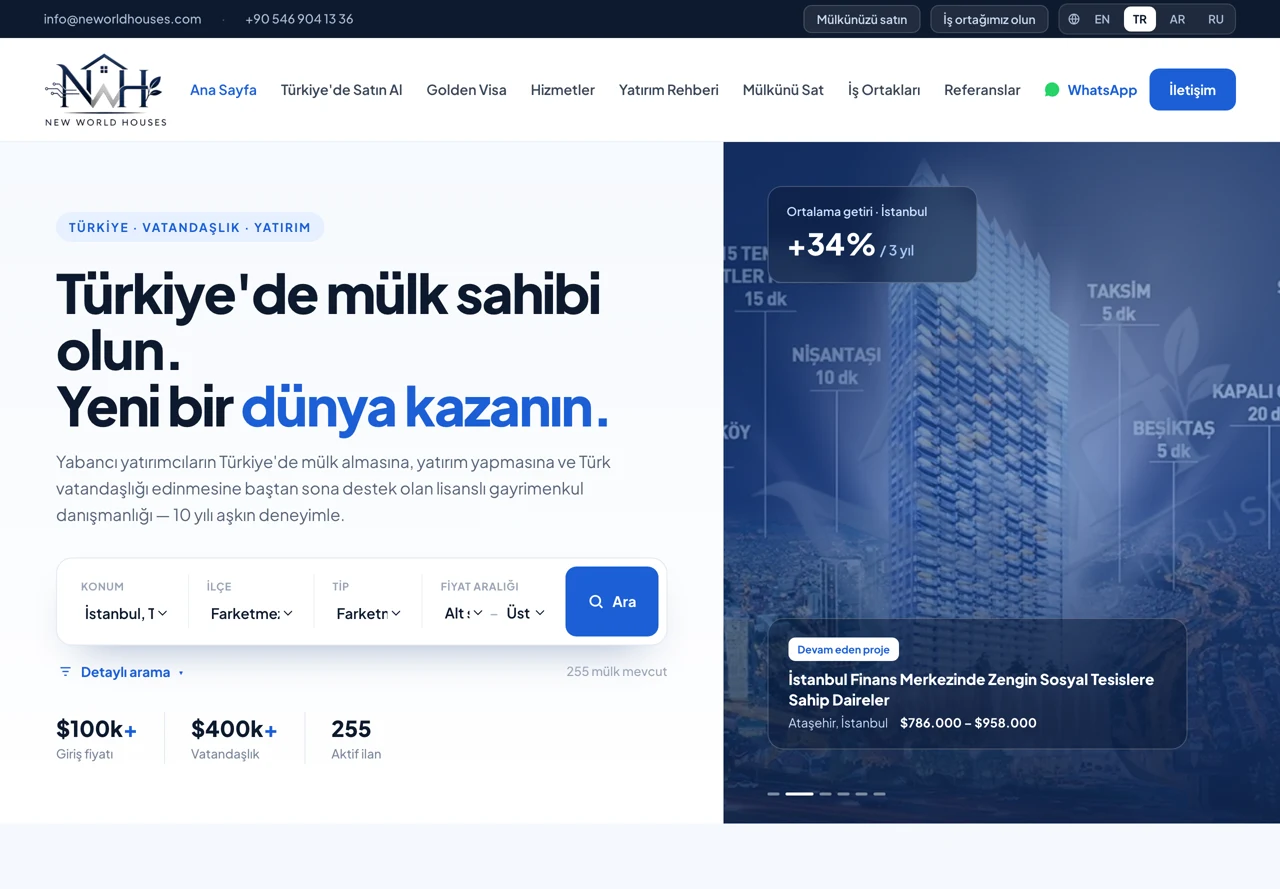
New World Houses is an Istanbul-based property company advising overseas investors on buying property in Turkey and on citizenship processes. The new platform was built end to end: the listing model, search and filtering, maps, a multilingual content structure, an admin panel and the server setup. The hardest part was not the build but the data we were left with: in the export from the old site, photographs sat in a folder with no link to their listings, and there was no English copy at all.
What we inherited
- The export from the old site contained the listing data, but the photographs sat in a flat folder with no record of which photo belonged to which listing.
- The export contained no English copy; loaded as-is, the site would have been single-language and without images.
- The target server already hosted thirteen sites; the new setup could not put its neighbours at risk.
- In the inherited codebase, the site settings panel saved values that no page ever read, and because the sitemap was generated at build time it contained not a single listing.
Our goal
- Rebuild the photo-to-listing link and the missing-language copy from whatever was still available.
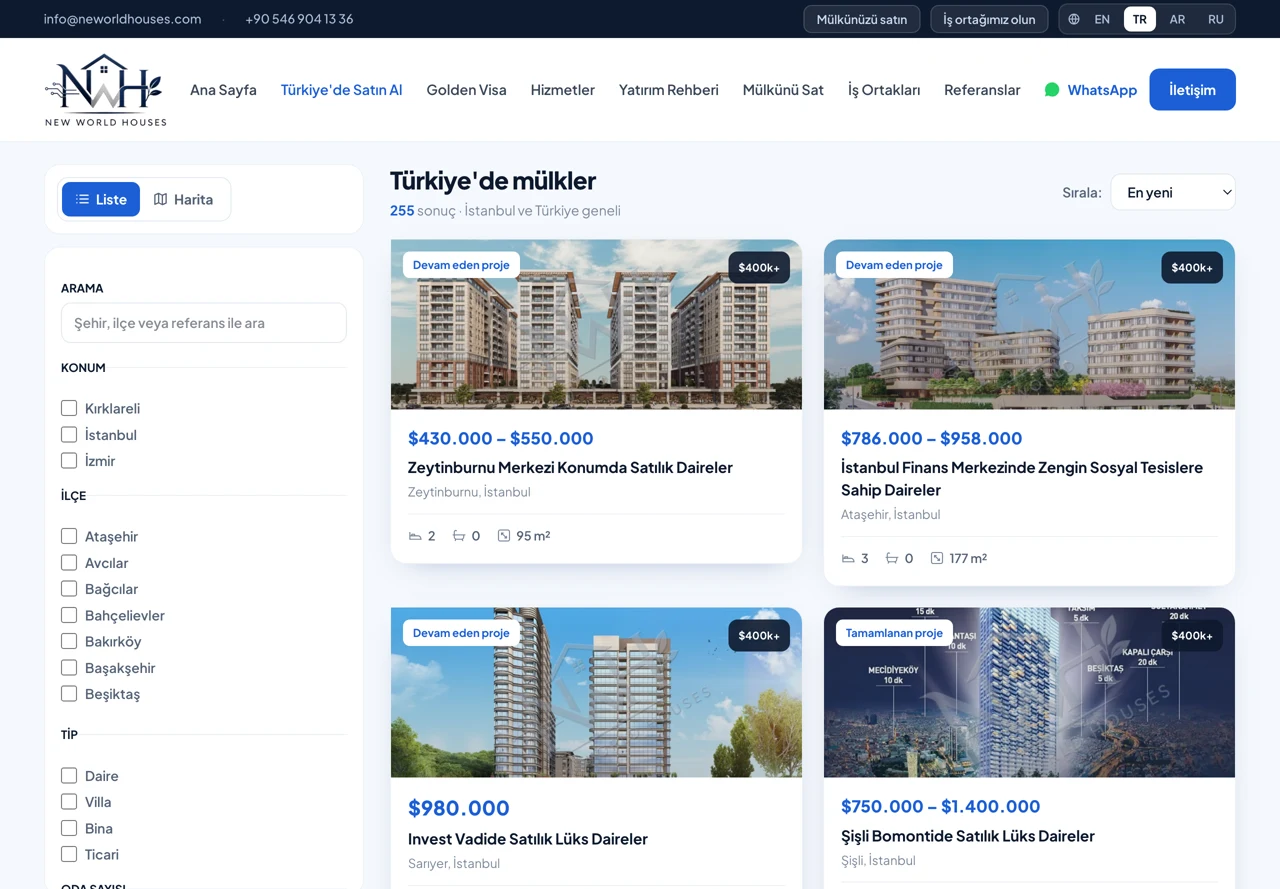
- Build a storefront an overseas buyer can actually search: multiple filters, a map and a list view.
- Make four languages (TR, EN, RU, AR) manageable in one content structure, with right-to-left layout for Arabic.
- Build search visibility from zero: landing pages that return real results, and a dynamic sitemap.
- Brand the photographs without ever touching the original files.
Data rescue: rebuilding the broken link
- Listing URLs were collected from the old site's sitemap; because the listing code was encoded character by character in the URL, that encoding had to be decoded first.
- The Turkish and English page for each listing was downloaded in a single queue; because the site returned another listing's page under concurrent requests, every response was verified against its own listing ID.
- Image matching was done with perceptual comparison: the thumbnail of each gallery photo was compared against our files reduced to the same size.
- The gap between the closest match and the runner-up came out over a hundredfold, which is how we confirmed the match was not coincidence.
- In the verification sample, 84 of the 87 listings shared with an earlier export matched exactly on file list and order.
- In the end 259 listings and 4,258 photographs were recovered, along with their English copy.
Listing model and admin panel
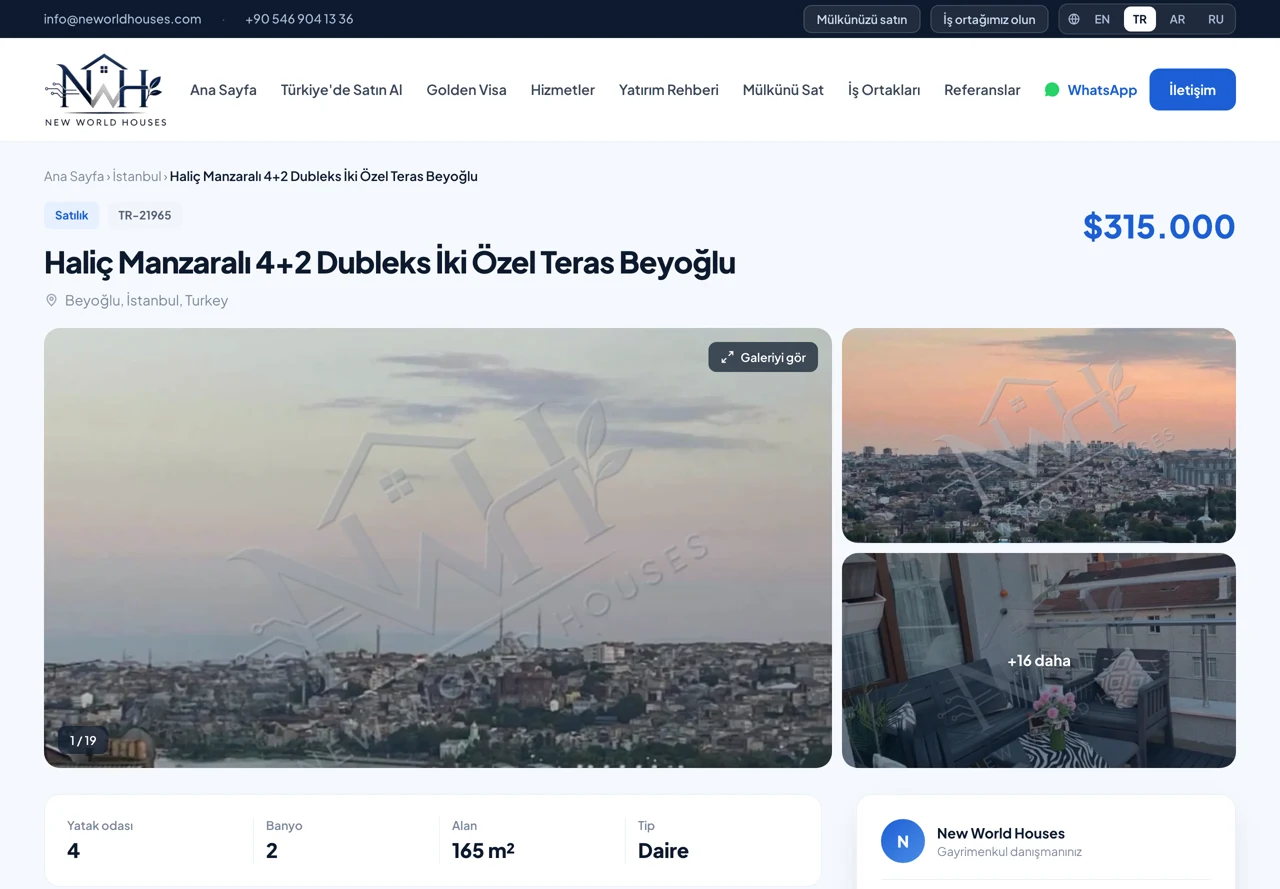
- Detail fields were built to match property conventions in Turkey: room count, gross/net area, floor, heating, service charge, title deed status, mortgage eligibility, aspect, and 62 features across five groups.
- The badge system was taken out of free text and tied to a list managed in settings; each badge has a stage, and project classification runs off it.
- Price range, unit type list and completion date fields were added for development listings; those fields only appear when the relevant badge is selected, and clear when it changes.
- A searchable selector covering 81 provinces and 973 districts was written without an extra package; Turkish normalisation means typing “izmir” still finds the right result.
- Photo management was built with multiple upload, drag-and-drop ordering and a bulk operations table.
- Lead management, export and featured-listing flagging were added to the panel.
Search, filters and maps
- A persistent filter panel in the left column: multi-select categorical filters, range inputs and feature selection.
- A filter option no listing satisfies is never drawn; a value already present in the URL is kept even if it returns nothing, so a shared link stays readable.
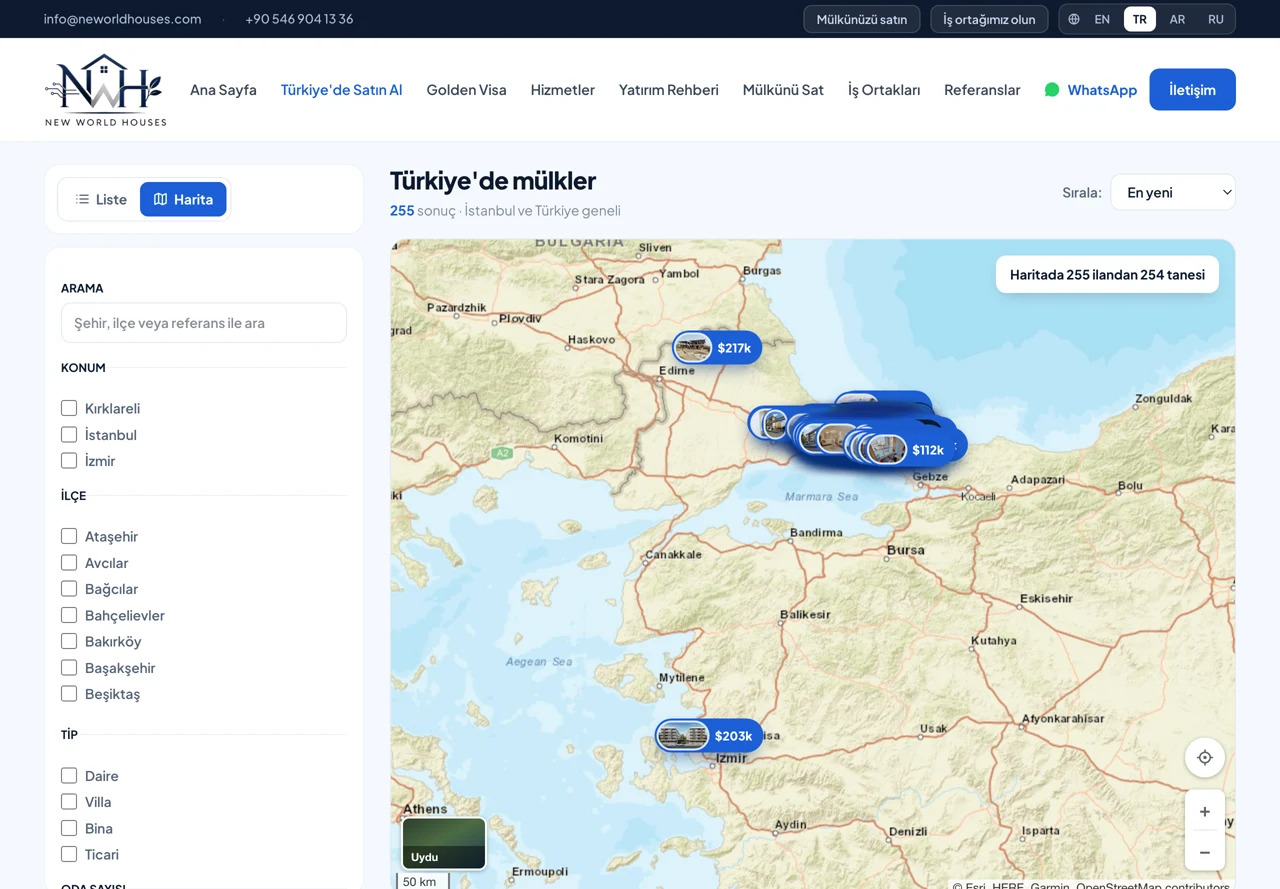
- Switching between list and map views; hovering a card highlights its map pin, and hovering a pin highlights the card.
- Free, commercially usable tile providers were tested one by one for the map. One provider's tiles came back as valid images but with an API key warning printed on them, visible only once the tile image itself was opened.
- In the end the road map runs on vector tiles, with satellite view and the initial load on a raster layer: the raster holds until the vector style loads, so the panel is never blank.
Multilingual content
- Four languages were consolidated into a single translation structure, with 474 keys per language.
- Right-to-left layout for Arabic was handled at the level of component alignment, not just text direction.
- Listing copy is held separately per language, with missing languages visible in the panel.
- Site settings (logo, favicon, share image, contact details, social accounts, SEO copy) were genuinely wired into the code: in the inherited state the panel saved them and no page read them.
SEO infrastructure
- The sitemap and robots.txt moved from build time to request time: URLs are now generated from the live catalogue on each request, the URL count went from 9 to 265 at launch, and new listings are added on their own.
- Landing pages managed from the panel were built; the filter source is the listing page's own query string, so the query built in the panel returns exactly the same results on the storefront.
- Nine landing pages went live (villas for sale in Istanbul, citizenship-eligible properties, properties under a given budget, and so on); each returns real results, with copy written by hand.
- The dead region links in the footer were replaced with these pages.
- Titles and descriptions are managed from the panel in four languages, and the analytics and verification tags come from the same place.
Photo watermarking
- Watermarked copies are generated in a separate directory with the same path structure as the originals; the original files are never touched.
- The server looks for the watermarked copy first and falls back to the original, so switching watermarking off is a one-line setting change.
- A scheduled job only processes new and changed files and clears out those whose source was deleted; new photos uploaded from the panel are covered automatically.
- Because the brand's dark logo disappeared on dark photographs, it was converted to a white silhouette with an offset dark copy beneath it, so it reads on both light and dark backgrounds.
- Four layouts and three opacity levels were presented on a comparison page, and the choice was made with the client.
- The first version took about six seconds per photo, regenerating the watermark layer for every image. Generating the layer once at high resolution and only rescaling it per image brought that under a second: 3,849 images completed in 64 minutes without an error.
- The batch job was run with a limited CPU share so it would not affect the other sites on the same server.
Bugs that needed diagnosis
- A blank page on the mobile back button: because dynamic pages had no loading skeleton, the prefetch request received an empty tree. The diagnosis was made reproducible: the broken page's prefetch response was a few hundred bytes, the working one tens of kilobytes.
- Missing URLs returned 200: because the response was streamed, the status code could not be derived from the body; the fix was to render the not-found body directly and mark it noindex.
- The feature filter had never worked: the database layer expanded the array parameter as a record, and when the comparison was rejected the query dropped. It was rewritten as a separate condition per feature and verified against a raw query.
- The full-screen gallery sat beneath the sticky header: the problem was not layer order but the stacking context created by the page transition animation; it was fixed by moving the gallery to the body.
- Photos did not appear on the gallery's first open: the loading shimmer never cleared for images that arrived early from the server. The fix was to remove that behaviour from the script entirely.
- Nightly backups were filling the disk: the unchanging photo archive was being backed up every night, so 4.4 GB of redundant data was cleared and the retention scheme reviewed.
Deployment and resilience
- The application and database run in containers; every server-specific deviation was collected into one local config file so it does not clash with automated deployment.
- Photographs are served straight from disk, never passing through the application process.
- TLS certificates and automatic renewal were set up; deployment is triggered by a push to the repository.
- Nightly backups cover the database and images; the watermark mirror is excluded, avoiding 623 MB of duplication.
- Motion respects the reduced-motion preference, and if the script never loads the content stays visible.
Result
From an export missing half its data, 259 listings and 4,258 photographs were recovered along with their English copy and launched as a four-language platform. The catalogue is grown from the panel; because the sitemap, landing pages and filter options are all generated from live data, new listings reach the storefront and the search engines with no manual step. Every photograph was branded without touching the originals, and newly uploaded ones are covered automatically. The site is currently live on a staging address and will move to its own domain once the client signs it off.