Uyum Yatak: from a Figma design to a Shopify store
Uyum Yatak is a Turkish brand manufacturing mattresses, bases and headboards. We built the brand's Figma design as a theme on Shopify: home page, catalogue and product page were developed to match the design exactly; the cart and cart drawer were rewritten around the campaign structure; and size selection and set completion on the product page were designed specifically for this product group.
ClientUyum Yatak · uyumyatak.com.tr
SectorMattresses and home furniture
PlatformShopify — custom theme built from a Figma design
Year2021
ScopeFigma → Shopify, Theme development, Cart and cart drawer, Variants and cross-selling
3
Templates: home, catalogue, product
10
Mattress sizes per product
1–7
Firmness scale
4
Main collections
What we inherited
- The design was ready in Figma; the home page, catalogue and product page had to be reproduced exactly on Shopify.
- In mattress retail a product cannot be described with a single price: every size has its own list price and campaign price.
- Product groups are interlinked; a customer buying a mattress often buys the base and headboard at the same time.
- Campaign periods change frequently, and the discount and set structure has to appear correctly in the cart too.
Our goal
- Move the layout, spacing and typography of the Figma file into Shopify templates without loss.
- Make size selection comparable on one screen, with its price.
- Show set-completing products inside the product page.
- Keep the cart and cart drawer consistent with the campaign structure.

Theme development from the Figma design
- Home page, catalogue and product page templates were built from scratch to the design, with sections editable from the admin.
- Typography, colour and spacing values were taken from the design file as variables and managed from a single source across the theme.
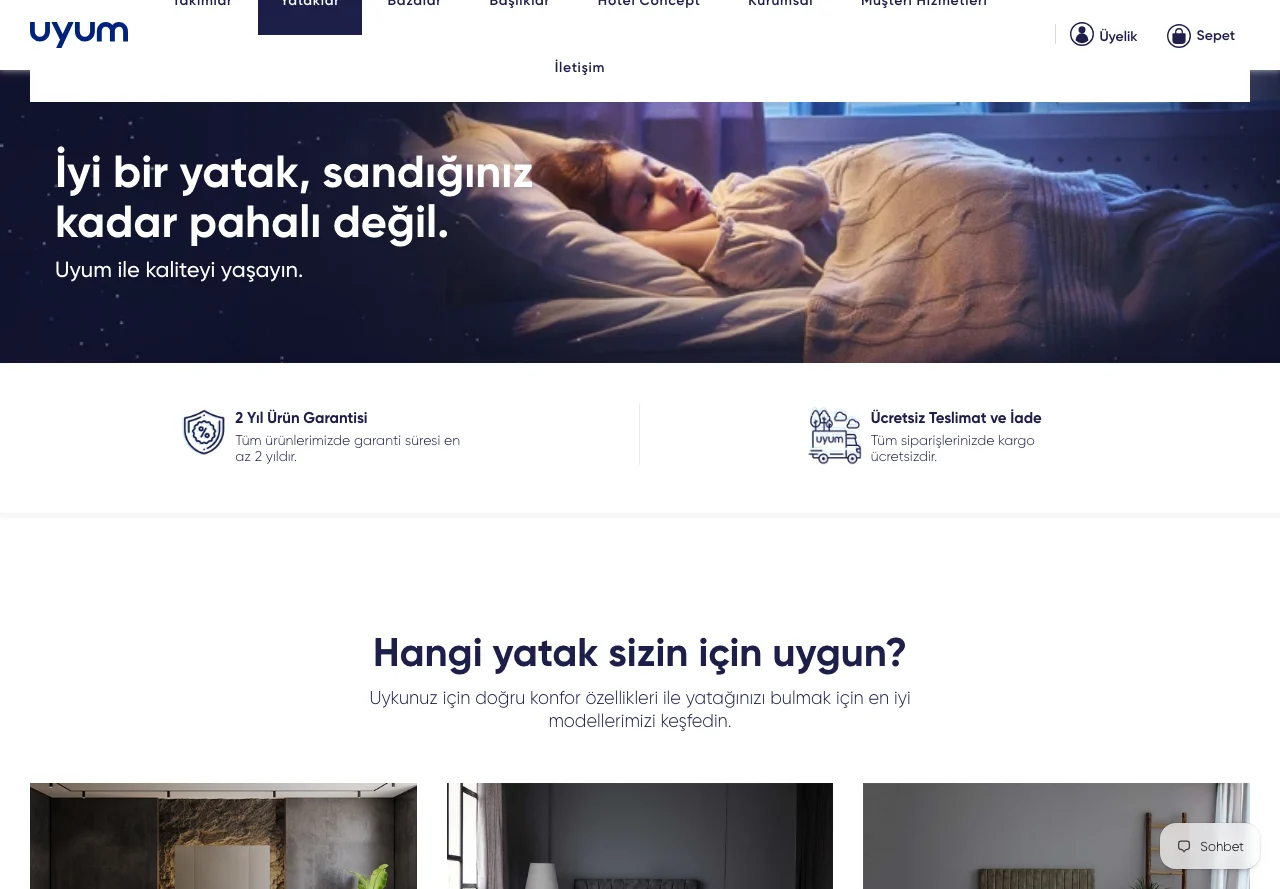
- Home page: a sliding hero, collection links, featured product blocks, a warranty and delivery strip, and newsletter signup.
- Product cards on the catalogue page were built to show a product's key features alongside the price of its starting size.
Product page and size-based variants
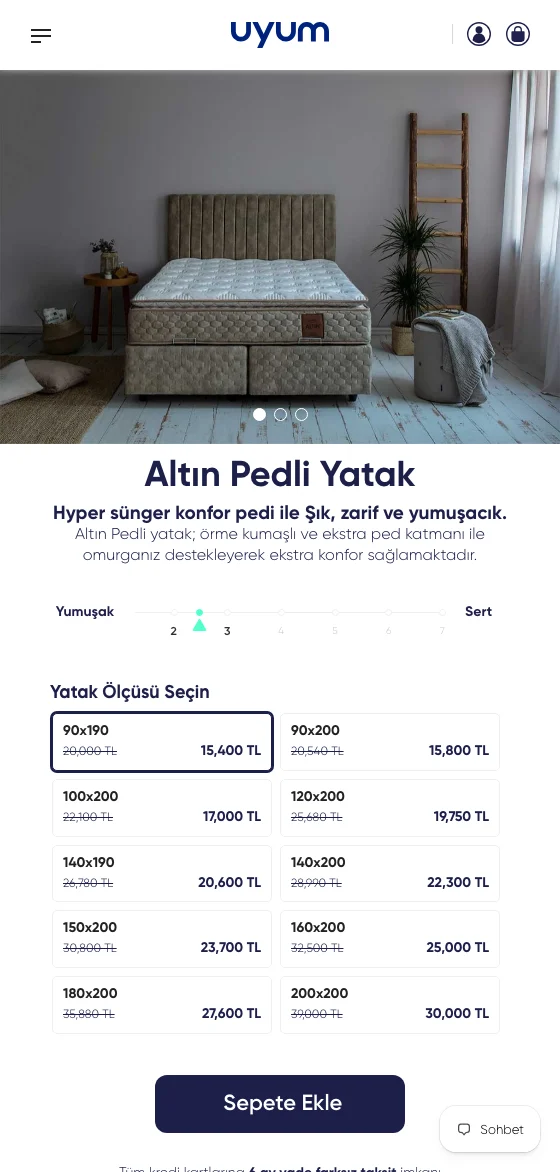
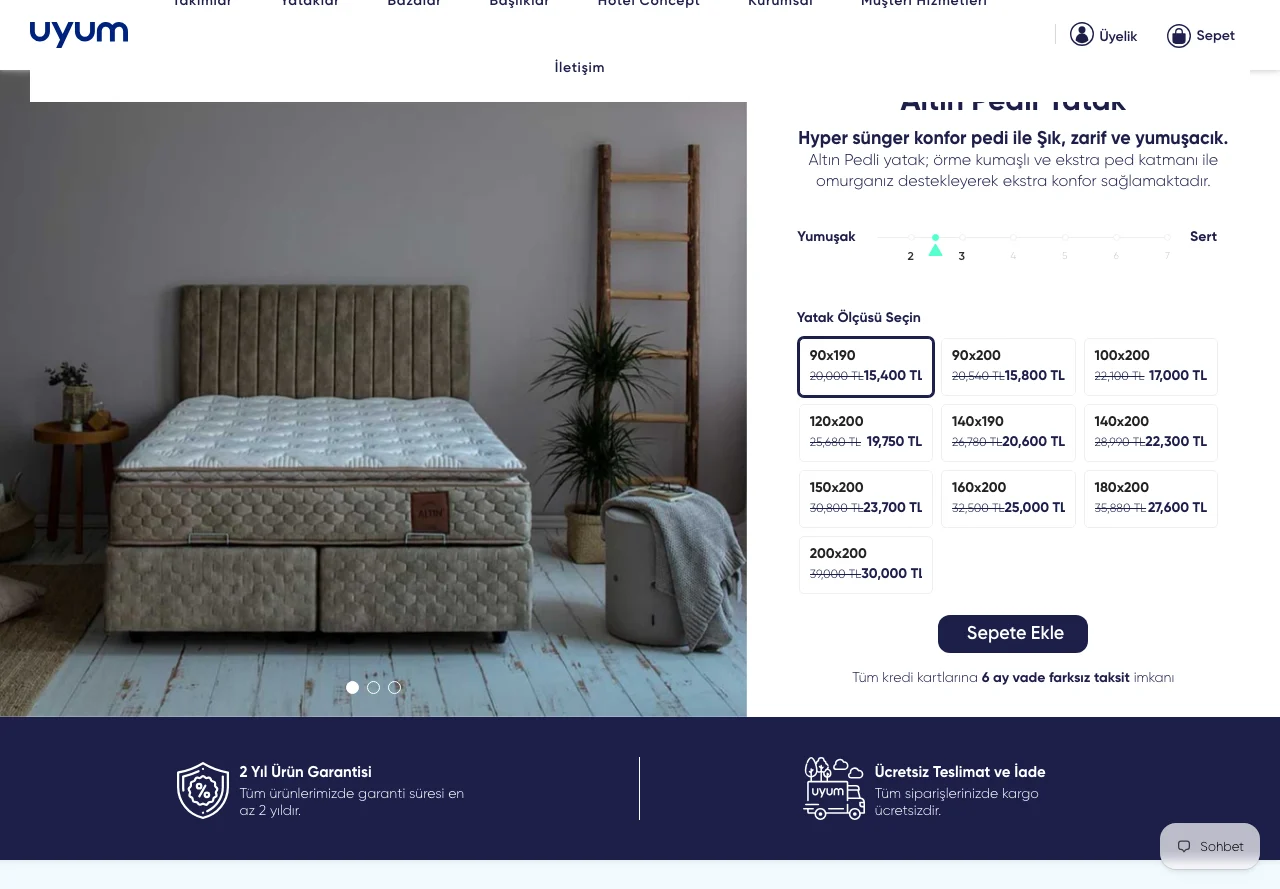
- Mattress size selection was taken out of the usual dropdown: ten sizes are shown as a grid, each with its own list and campaign price.
- Sizes are grouped into single and double, so the customer looks straight at the right group for their needs.
- As the selection changes, price, discount rate and add-to-cart information update without a page reload.
- Firmness preference was visualised on a 1–7 scale, so the product's comfort position reads at a glance.
- Instalment, warranty, free delivery and trial period information was brought next to the buy button.
Cross-selling — completing the set
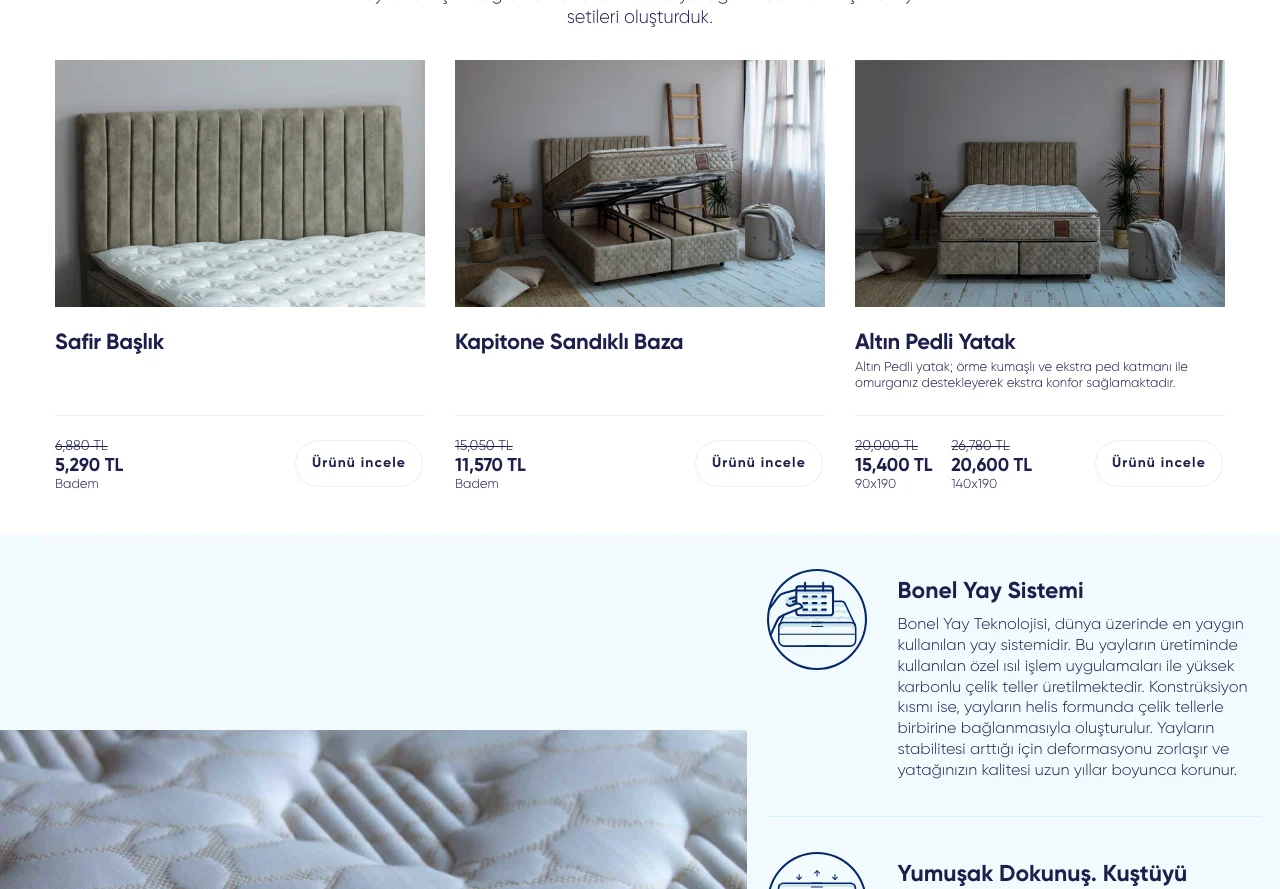
- A “Group Products” section was added to set product pages: the headboard and base that complete the mattress are listed on the same screen.
- Each complementary product arrives with its own size and colour options and a visible campaign price.
- The customer can see the set without leaving the page; mattress, base and headboard are considered in the same flow.
Cart and cart drawer
- Add to cart works without a page reload; adding a product opens the cart drawer.
- The drawer shows the chosen size, the campaign price and the discount difference together.
- The cart and cart drawer were tied to a shared structure so they display prices by the same rule during campaigns.
- Quantity changes and item removal update without reloading the cart.
Result
Screens that lived in a design file became a manageable Shopify theme. On the product page the customer compares ten sizes with their prices, sees the firmness preference at a glance, and considers the base and headboard that complete the set from the same page; the cart and cart drawer show campaign prices by the same rule.
Process
Phase 1
Turning the Figma file into a template and section plan
Phase 2
Building the home page and catalogue templates
Phase 3
Product page, size grid and set completion
Phase 4
Wiring the cart and cart drawer to the campaign structure
Technical stack
ShopifyFigma → theme developmentLiquidJavaScriptAJAX Cart APIVariants and product groupsSection-based management
Related services